Celebrate 2024 with Editable Graduation Templates
The culmination of years of hard work deserves more than a generic "Congrats" text message. It deserves a visual celebration. If you are a designer, a marketing professional helping an educational institution, or a family member trying to organize a party, the pressure to create high-quality visuals can be overwhelming. Enter the Editable Graduation 2024 suite. This is not just a collection of images; it is a comprehensive toolkit designed to streamline your creative process while ensuring a polished, professional result.
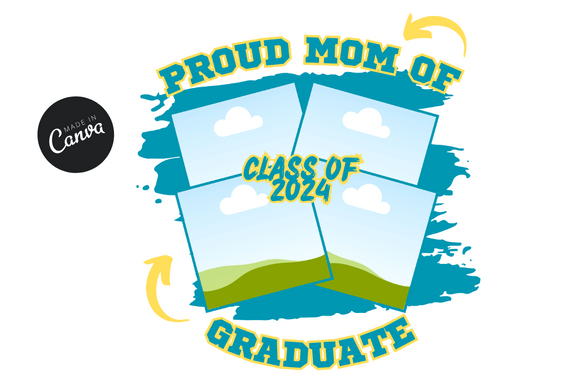
At its core, the Editable Graduation 2024 package is built around the versatility of digital templates, specifically formatted at the industry-standard 1080 x 1080 pixels. This dimension is the sweet spot for social media platforms like Instagram, Facebook, and LinkedIn. However, the utility of these templates extends far beyond a simple post. They serve as a foundational design asset for anyone involved in the 2024 graduation season. The package includes a direct link to Canva, embedded within a PDF for easy access. This approach democratizes design; you do not need to be a wizard in Adobe Illustrator or InDesign to customize these files. By leveraging Canva’s intuitive interface, you can adjust colors, swap fonts, and upload photos in minutes.
The Anatomy of a Perfect Graduation Design
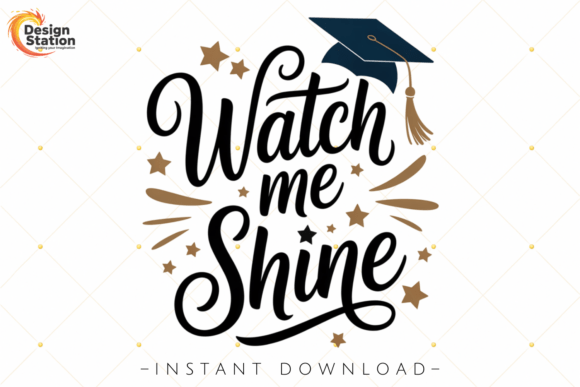
When we look at the visual personality of the Editable Graduation 2024 templates, we see a blend of classic celebration and modern minimalism. The design philosophy here is about clarity and elegance. The templates utilize a clean white background to make foreground elements pop, while accents of gold vector designs provide that necessary academic prestige. This is not a chaotic design; it is a structured composition that balances negative space with impactful typography.
The "gold" aspect is crucial here. Gold is synonymous with achievement, value, and success. In the context of graduation—whether it is high school, college, or university—gold connotes the diploma and the award. The templates incorporate this through subtle overlays and frames, creating a luxurious feel without being gaudy. The overall aesthetic is versatile enough to suit a formal ceremony announcement or a casual party invitation.
For the creative professional, understanding the typography included in these assets is vital. While the templates provide the layout, the "Editable" nature allows you to play with different typefaces. A common mistake in graduation design is using overly ornate script fonts that sacrifice readability. The Editable Graduation 2024 templates encourage a balance. You can pair a bold, modern serif font for the year "2024" with a delicate script font for the word "Graduation." This creates a visual hierarchy that guides the viewer's eye from the date to the event name, and finally to the details.
Practical Applications: Beyond the Instagram Feed
While the 1080 x 1080 size is perfect for your feed, the applications of Editable Graduation 2024 are vast. As a designer or small business owner, you can repurpose these assets for various commercial and personal uses.
- Digital Invitations & E-vites: Save the environment and your budget by using these templates as digital invitations. The clean layout ensures that all necessary information—time, location, dress code—is legible on any mobile device.
- Social Media Marketing: If you are a school administrator or a marketing agency working for an academy, consistency is key. Using these templates allows you to maintain a cohesive brand identity across all social media graphics. You can create a series of posts leading up to the day of the event, building anticipation.
- Event Signage and Decor: Do not underestimate the power of print. Because these are editable vectors and high-resolution templates, they can be scaled for physical party decorations. Think table centerpieces, welcome signs, or even a photo booth backdrop.
- Merchandise: For entrepreneurs, graduation season is a goldmine. These designs can be adapted for mugs, t-shirts, or tote bags. The "Happy Graduation" lettering and cap illustrations translate well onto physical products.
The inclusion of a Bonus Free PDF Link Template adds another layer of value. This suggests that the package is designed for publishers and content creators who need to distribute the information efficiently. You can use the PDF to share the Canva link with clients or team members who may not have access to your specific design files, ensuring a smooth workflow.
Strategic Design Tips for the 2024 Season
When working with the Editable Graduation 2024 assets, consider the psychological impact of your color choices. While the base is often white and gold, you have the freedom to change the palette to match the school colors. If you are designing for a specific university, integrating their brand colors is essential for recognition. However, ensure there is enough contrast. A dark navy blue background with white text often works better than a bright yellow on white, which can cause eye strain.
Furthermore, think about the "Call to Action" in your design. If this is a greeting card, the focus should be on the sentiment. If it is a business promotion (like a local restaurant offering a discount to graduates), the offer needs to be prominent. The editable nature of the template allows you to manipulate the layout to prioritize what matters most to your specific audience.
For graphic designers, this template pack is a massive time-saver. Instead of starting from a blank canvas, you have a pre-validated structure. You can spend your "precious time" on the nuances—adjusting kerning, fine-tuning the color gradients, and ensuring the illustration elements align perfectly with the text. This efficiency allows you to take on more clients during the busy graduation season.
Ensuring Readability and Professionalism
A common pitfall in celebration design is clutter. The "Editable Graduation 2024" templates combat this by adhering to solid web design and editorial design principles. When you open the Canva link, look at the grid structure. Good design relies on alignment.
When you customize the text, pay attention to font weight. Use bold text for headers and regular weight for body copy. This creates a visual hierarchy that makes the information digestible. Avoid using more than two or three font families. A handwritten font might look fun for a casual party, but if you pair it with a rigid sans serif font and a decorative display font, the result will look disjointed and unprofessional.
Finally, remember that these are design assets. Treat them with the same respect you would a premium stock photo or a licensed typeface. By using the Editable Graduation 2024 templates, you are not just making a picture; you are crafting a celebration. Whether it is a congratulations banner for a student or a sophisticated invitation for a campus event, the right tools make all the difference. Dive into the files, experiment with the layers, and create something that truly honors the success of the Class of 2024.